
Dashboard Overview
Use the calendar and sidebar to run daily operations
Calendar Workflow
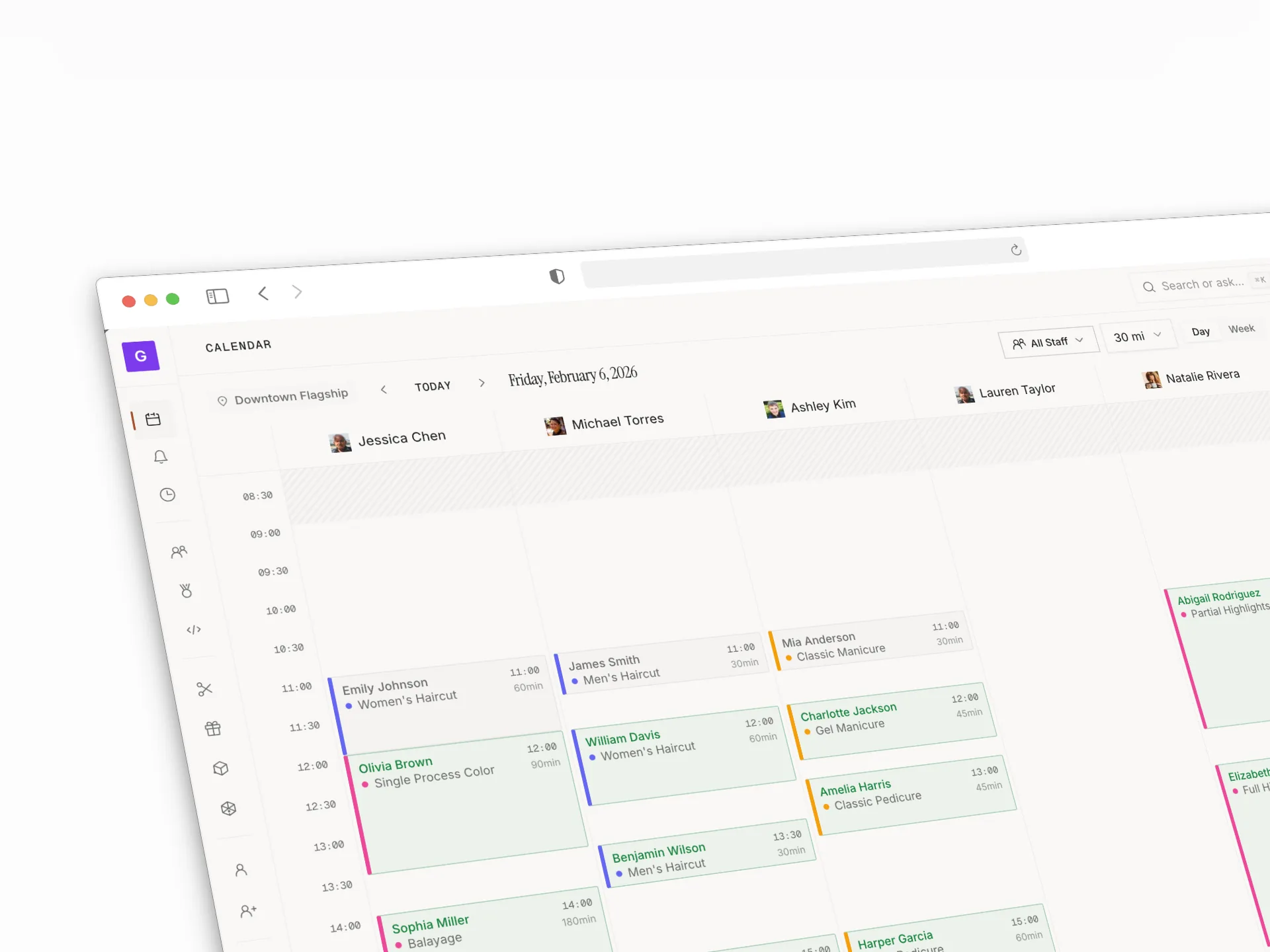
The default dashboard is the calendar. Use it to:
- View staff schedules
- Create bookings
- Open existing bookings
- Filter by location
Navigation Structure
- Today (always visible): Calendar, Inbox, Waitlist, Clients, Orders
- Grow: Online Booking, Forms, Reviews, Referrals, Loyalty, Pricing Tests
- Catalog: Services, Packages, Membership plans, Products, Resources
- Team: Team, Staff breaks, Users & Access
- Sales: Sales reports, Retail, Suppliers, Purchase orders, Commissions
- Settings: Go Live checklist, Business settings, AI assistant, Billing
The Inbox holds everything waiting on your team — client texts, calls, and booking requests to approve — across three tabs: Messages, Calls, and Approvals. It's open to managers as well as owners. Billing is one entry that opens to tabs (Subscription, Client payments, Terminals, Usage) and is owner-only.
Daily Operating Routine
- Apply location filter first
- Clear approvals and waitlist regularly
- Review top stats for demand and throughput